> For the complete documentation index, see [llms.txt](https://docs.florence.finance/docs/llms.txt). Markdown versions of documentation pages are available by appending `.md` to page URLs; this page is available as [Markdown](https://docs.florence.finance/docs/support/tutorial/how-to-buy-flreur.md).
# How to buy flrEUR?
Let's buy some flrEUR
**How to buy** flrEUR**:**
In order to buy **flrEUR,** the unit of account for the Florence Finance platform, you must go to **Camelot** on Arbitrum (our chosen DEX) and swap ETH/UDC/USDT for flrEUR. Our liquidity pool is flrEUR**/USDC**, so we advise swapping using USDC for the least slippage.\
\
You will then be greeted with the default crypto-to-crypto swap page. Here you will see ETH and GRAIL. You will need to click on GRAIL which will allow you to search for flrEUR, as we will be swapping ETH for flrEUR in this example.
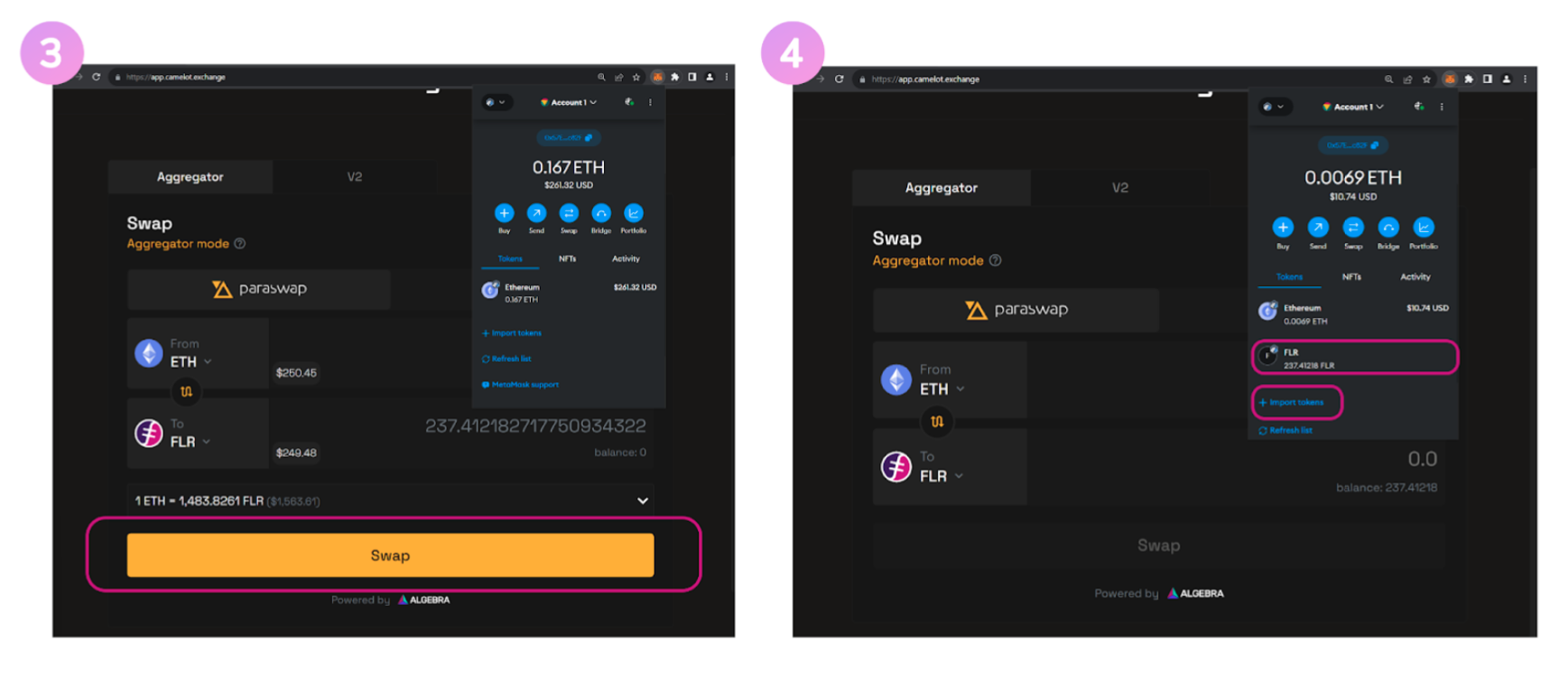
You will now have set up the swap for ETH to flrEUR. Complete the swap and accept all MetaMask transaction prompts.
**\*Please check the price impact before making a swap and ensure there is enough liquidity in the pool for your swap\***
Once this is completed you will see flrEUR in your wallet. If you do not see your flrEUR balance in your wallet at first, you can click on ‘Import Token’ and add the following address:
**0x9B6226dd0191a77d032F56A6d383044EE99944C3**
You are now all set!